


Methodology
A comprehensive guide to SCOPE.GG’s features for CS2 players
SCOPE.GG helps you analyse Counter-Strike 2 matches: view detailed statistics, identify mistakes, rewatch rounds, save highlights and track your progress. The service uses data from Steam, FACEIT, public profiles and match demos for analysis. Once your match history is connected, new matches are automatically downloaded and processed.
Once processed, match events are converted into clear metrics, replays and highlights for analysis. Some of the data consists of facts from demos, such as kills or damage dealt. Other metrics, such as the Aim rating or in-match errors, are calculated based on this data and help you understand the game in context.
What SCOPE.GG can do
A standard CS2 scoreboard shows the match result and basic statistics. SCOPE.GG helps you find out everything in detail about a player’s performance: how they shot, used grenades, performed in duels, covered their teammates and pulled off clutch plays. Many metrics can be checked immediately for a specific round in the Replay.
As well as kills, deaths and damage, the service displays First Bullet Accuracy, Time to Kill (TTK), Headshot Percentage (HS %), Aim Rating, Grenade Rating and other metrics. Their purpose isn’t to give the player yet another mark, but to suggest exactly what they should review and improve.
For beginners, SCOPE.GG helps to understand the specific reason behind a failed round. For intermediate players, it helps to spot recurring issues and track progress. For experienced players and teams, it enables a deeper analysis of positions, exchanges, economy and round-by-round actions.
The easiest way to use the service is to ask a specific question about your own gameplay: for example, ‘Why do I often give away the first frag as CT?’ or ‘Do my flashbangs actually help the team?’
| Level | What SCOPE.GG shows | Why view this |
|---|---|---|
| Profile | Available history, current form, rankings, player reputation, bans, friends list, inventory value, map performance, match history | To assess long-term results and check out a player |
| Match | Player statistics, shots fired, grenades, economy, duels, clutch plays and key moments in Performance | Analyse a specific game and compare players |
| Round | 2D/3D replays, grenades, timeline, events, statistics | Quickly revisit a specific moment and check the context of statistics or errors |
The profile shows the overall picture, the match page shows the details of a specific game, and the Replay shows the relevant round and episode. The completeness of the data depends on what we were able to obtain and process.
When searching for profiles, you can use a Steam ID, a Steam link, a supported FACEIT link or a nickname. An exact Steam ID is more reliable than a name: identical nicknames may belong to different people. A public SCOPE.GG profile can be viewed without registering.
There’s also a quick way to access it from Steam: add the number 1 before ‘steamcommunity.com’ in the profile URL, without changing the rest of the link. This allows you to view the player’s available statistics and share them instead of screenshots.
An account’s reputation aggregates publicly available information: age and profile visibility, VAC and in-game bans, FACEIT bans and blocked friends. This provides additional context, but is not proof of fair or unfair play.
SCOPE.GG does not display Valve’s internal Trust Factor. Account reputation on the website and the Trust Factor in CS2 are different systems.
The history contains processed matches: date, map, score, brief personal statistics and links to match analyses. Filters help you find the match you’re looking for, whilst favourites allow you to quickly return to it later.
Once connected, the service begins collecting the available history, but cannot guarantee that it will be able to retrieve all matches from the entire duration of the account’s existence.
The match analysis includes player statistics, 2D/3D match replays, player performance broken down by T and CT, shots, grenades, economy, heatmaps, highlight clips, duels and clutch plays. You can drill down from the final score to specific situations and see where and how it came about.
This helps you distinguish between matches that look similar on paper but differ in terms of the underlying reasons. For example, a low ADR could be the result of infrequent engagements or lost firefights — and these need to be addressed in different ways.
Performance is a section featuring game clips: highlights, successful plays and situations that the system has flagged as potential mistakes. It is not a separate numerical rating.
Performance helps you quickly find a moment to analyse. A clip of this incident may appear later or may not be available depending on your subscription plan.
SCOPE.GG lets you watch matches directly in your browser. The 2D Replay shows the round from a top-down view: player positions, weapons, shots, grenades and events. The 3D Replay shows the same sequence in three dimensions, similar to viewing it within the game. Both modes are available without a subscription.
Replays are handy for quickly revisiting a mistake, a duel or a grenade. 2D gives a better overview of the round, whilst 3D is easier to perceive as a normal in-game scene. This is a reconstruction based on a demo, not a recording of the player’s screen.
Clips are generated on SCOPE.GG’s servers from match demos automatically or upon request — there’s no need to keep OBS or any other recording software running. Depending on your subscription tier, you can record highlights, mistakes and moments from different POVs, and then save or share the clips.
In the Edit Studio, you can combine up to nine moments from a selected player’s processed match. The Full Buy plan also includes a separate compilation of all your kills from the match and the option to customize categories for automatic recording.
Map-based performance shows how you play in different areas of the map across a series of matches. It helps you identify positions where problems recur, rather than drawing conclusions based on a single unfortunate death.
You should always look at the full set of statistics: the map, side and number of instances all matter. One poor move in a particular position doesn’t necessarily make it a consistent weakness.
Records save your best results from analysed matches and allow you to revisit the game where they were achieved. Progress shows consistency and changes over time, whilst a record represents a single peak performance. For a record to count, a match must include at least nine completed rounds.
A record is not the same as a player’s usual level. It is useful to compare a match with the highest damage output to your day-to-day results, rather than using it as a substitute for them.
Comparisons allow you to contrast the statistics of two players and identify differences in key metrics. It is more useful to compare players on the same platform and take sample size into account, rather than drawing conclusions based on a single K/D ratio.
The tactical board helps you discuss team positions and actions, clearly displaying them on a diagram of any map. The grenades section is for finding and analysing grenade placements. It’s best to double-check any diagram or grenade placement on the current version of the map.
The website offers a pre-match analytics tool for FACEIT. It uses opponents’ previously available matches to show their typical positions, aggressive plays and weapon preferences. The tool is available with a Full Buy subscription and helps you prepare for your next match more quickly, but it does not show opponents’ positions in real time.
In the settings, you can link your Steam account or a Discord bot to receive messages about processed matches, ready-to-watch clips, records, progress and player bans from your games.
Without an account, you can search for and view available player profiles. To automatically track your own matches, you need to log in to SCOPE.GG and connect the relevant source. Registration is not the same as a subscription: the core features are available for free, whilst additional features and limits depend on your subscription tier.
Where does SCOPE.GG get its data from?
From Steam, SCOPE.GG receives the player’s ID, available profile data, information on VAC and game bans, and access to the history of supported matches once this feature is enabled.
From FACEIT, the service receives profile data, Elo rating, rank, match history and results, team line-ups and available information on bans. A demo recording is still required for a detailed analysis of shots, grenades and movements.
The demo contains match events: shots, hits, damage, kills and deaths, grenades, positions, weapons, economy, the bomb and round results. SCOPE.GG links these events to players and timestamps, and then calculates the statistics.
Metrics such as ADR, accuracy, first-shot accuracy, time to kill, trades and clutches are calculated based on match events — they are not provided ready-made from a public profile.
Available account data is taken from the public profile: nickname, avatar, links, and — if settings are public — additional details such as the account’s age, friends or inventory. Private fields are not treated as zero — they are simply unavailable.
A profile on SCOPE.GG can appear even without the owner registering: all that’s needed is for the service to process a publicly available match in which they’ve taken part. The existence of such a page does not mean that the person has linked their Steam account or taken out a subscription. This data becomes available after public demos have been processed.
The Premier Rating displays the current rating from the Premier mode in CS2, whilst FACEIT Elo and tier are sourced from FACEIT. SCOPE.GG displays this data alongside its own analytics, but the Aim Rating and Grenade Rating do not replace in-game ratings.
VAC and in-game bans are sourced from Steam, whilst FACEIT bans are sourced from FACEIT. The absence of a known ban does not in itself prove fair play.
A private profile restricts access to some account information, but does not necessarily prevent the analysis of a match that is already available. Profile privacy and demo availability are two different things.
If a demo is unavailable or cannot be processed, a comprehensive analysis is not possible: detailed metrics, replays and clips may be missing.
Different types of data are updated at different times. A match appears once the demo has been received and processed, whilst the rating, profile and ban information are synchronised separately. Therefore, individual sections may not be updated simultaneously.
| Source | What data do we receive? | Limitations | Update frequency |
|---|---|---|---|
| Steam / CS2 | SteamID, public profile data, bans and access to match history for supported games | Profile privacy, match history connectivity and availability of Valve data | Upon synchronisation; new matches — once they appear on the source |
| FACEIT | Profile, Elo, rank, matches, results, line-ups and available ban information | API and demo availability; import limits | When synchronising with FACEIT |
| Demo file | Shots, hits, damage, kills, grenades, positions, weapons, economy and rounds | The file must be accessible and processed correctly | When processing a specific match |
| Public profile | Nickname, avatar and other public information | Hidden fields are not accessible | When updating profile details |
| SCOPE.GG calculations | ADR, accuracy, first-shot accuracy, kill time, rankings and recognised in-game situations | Depend on the completeness of the source data | After match processing |
| SCOPE.GG comparison database | Benchmarks for comparison with players of a similar rank or professional players | The result depends on the selected group and database version | When the comparison database is updated |
How a match is processed
Once you’ve linked your Steam or FACEIT account, SCOPE.GG begins retrieving your available match history, analysing it and adding it to your history. For Steam, match history access data is used; for FACEIT, the linked account is used.
The authentication code for match history is not the same as the Steam Guard code. You do not need to provide login verification codes to support.
After downloading, the system parses the demo and extracts match events: rounds, kills, damage, grenades, weapons, positions and other data. SCOPE.GG then calculates statistics, prepares an analysis and a replay, and records clips.
source → demo / match data → in-game events → metrics → comparison → analytical conclusion
For example, damage events and the number of rounds make up the ADR. This metric can then be compared with previous matches. To understand why it has changed, it’s worth reviewing specific episodes.
The system recognises shots, hits, kills, deaths, assists, damage, grenades, round events and bombs, player positions, weapons and economy. More complex situations — such as a trade-off — are determined by a sequence of several events.
Statistics and replays usually appear around 1–2 minutes after the match ends, once the demo is available. Clips are typically recorded in about 2–3 minutes. If there is a queue, processing may take longer, so this is a guide rather than a guaranteed timeframe.
If a match takes noticeably longer than usual to appear, check your Steam or FACEIT connection. If necessary, try loading the match manually.
If the demo is unavailable or completely corrupted, the match will not appear in your history. If only part of the recording could be processed, the match may open with a yellow warning, and certain statistics or clips may be unavailable.
In this case, you can contact Support and attach a link to the match in question.
No. Matches that have already been processed are not automatically recalculated following a change to the formula or parser.
Therefore, following an update to the formula or parser, new and old matches may, in some cases, be calculated using different logic.
Which matches and game situations are supported
Yes. SCOPE.GG supports Premier, Competitive, Wingman and 5v5 FACEIT. A demo is required for a detailed analysis.
| Platform, mode or situation | Availability | What to consider |
|---|---|---|
| Premier | Supported | A demo is required for detailed statistics |
| Competitive | Supported | Take the map and mode into account when comparing |
| Wingman | Supported | 2v2 cannot be directly compared with standard 5v5 |
| FACEIT 5v5 | Supported | Requires a connected account and an available demo; tier limits apply |
| Manual .dem upload | Available with the relevant subscription | The file must have the .dem extension |
| Third-party recordings | Via a supported .dem | Not all rating comparisons may be available |
| Past matches | If already processed or the demo is still available | Reconnecting does not restore lost history |
| Overtime | Taken into account if included in the match demo | Extra rounds increase the match duration |
| Disconnection from the server | Only presence on the server is analysed | Disconnection from the server has no effect if the player returns to the game |
| The team has surrendered | Availability depends on the demo of the match that ended early | Unplayed rounds are not analysed. If there are 9 or more rounds, the match is considered complete |
| Incomplete or corrupted demo | Detailed analysis is not guaranteed | Missing data cannot be replaced with zeros |
Yes. You can add a supported link or match code, or, if you have the file, upload the .dem file manually, provided this option is available in your subscription plan. If the demo is no longer available from the source and has not been saved by the user, it cannot be recovered based on the score or date alone.
Matches that have already been processed are saved in the SCOPE.GG history. However, when you first connect, the depth of the data retrieved depends on which matches and demos are still available from the source. Therefore, the service does not guarantee a complete account history covering the entire period.
SCOPE.GG indicates that there is insufficient data when the required events or the required volume of history are missing. For example, it is not possible to assess clutch success if there were no clutch attempts.
Even if a figure can be calculated, a small sample size may be insufficient to draw conclusions about skill. It is therefore important to look not only at the percentage, but also at the number of attempts.
How to interpret the key metrics
Each metric only accounts for a specific aspect of the game. It is best to look at several metrics together and, if a figure raises questions, review specific episodes in Replay.
K/D is the ratio of kills to deaths: kills / deaths. For example, 24 kills and 16 deaths give a K/D of 1.50. Assists are not included in the calculation.
K/D provides a handy overview of the balance between kills and deaths, but it doesn’t explain the value of each frag. It’s therefore best to analyse it alongside ADR, KAST and the context of the rounds.
KPR is the average number of kills per round: kills / rounds. For example, 18 kills over 24 rounds gives a KPR of 0.75.
KPR is useful for comparing matches of different lengths, but it does not show how important each kill was.
ADR is the average damage dealt to opponents per round: damage / rounds. For example, 1,920 damage over 24 rounds gives an ADR of 80.
ADR highlights a value that isn’t always apparent from the kill count: you might deal significant damage to an opponent, only for an ally to finish them off. However, the same amount of damage can have different value in different situations.
KAST is the percentage of rounds in which a player secured a kill, an assist, survived, or was traded by an ally. Formula: qualifying rounds / total rounds × 100%.
A round counts only once, even if several conditions are met. KAST indicates consistency in contributing to beneficial events, but not the percentage of rounds ‘played correctly’.
Specific rules, such as the exact conditions for survival or a trade, depend on how the metric is implemented. Therefore, KAST may vary slightly across different services.
SCOPE.GG displays a metric structurally similar to HLTV Rating 2.1, which is useful to view alongside ADR, KPR and other metrics.
The headshot percentage on SCOPE.GG shows the proportion of headshots out of all hits on opponents: headshots / total hits × 100%. Unlike the standard HS% based on headshot kills, this takes into account all hits, not just the finishing shot.
For example, 30 headshots out of 100 hits give a headshot percentage of 30%, whilst 12 headshot kills out of 20 give a headshot kill percentage of 60%. Therefore, these two percentages can differ significantly in the same match.
It is not worth comparing them directly: they answer different questions.
Accuracy shows what proportion of the shots taken hit the opponent. It is a measure of shooting accuracy, not the percentage of duels won or kills made.
It is useful to look at accuracy in conjunction with the weapon and the context of the incidents: the same percentage can result from very different types of shooting.
First Bullet Accuracy, or FBA, shows how often the first counted shot hits the opponent. Subsequent shots in a burst do not count as new ‘first’ shots for this metric.
FBA helps assess the start of a firefight: how well you aim and land your first shot. It is not the percentage of first-shot kills, nor is it the percentage of headshots.
Time to Kill, or TTK, indicates the average time it takes to end a given firefight with a kill. The lower the value in comparable situations, the faster the player concludes the engagement.
TTK should not be interpreted as pure reaction time. It is influenced by the conditions of the firefight, the weapon, the distance and the opponent’s condition.
Therefore, it is more useful to compare TTK across a series of matches and in conjunction with replays, rather than assessing it based on a single duel.
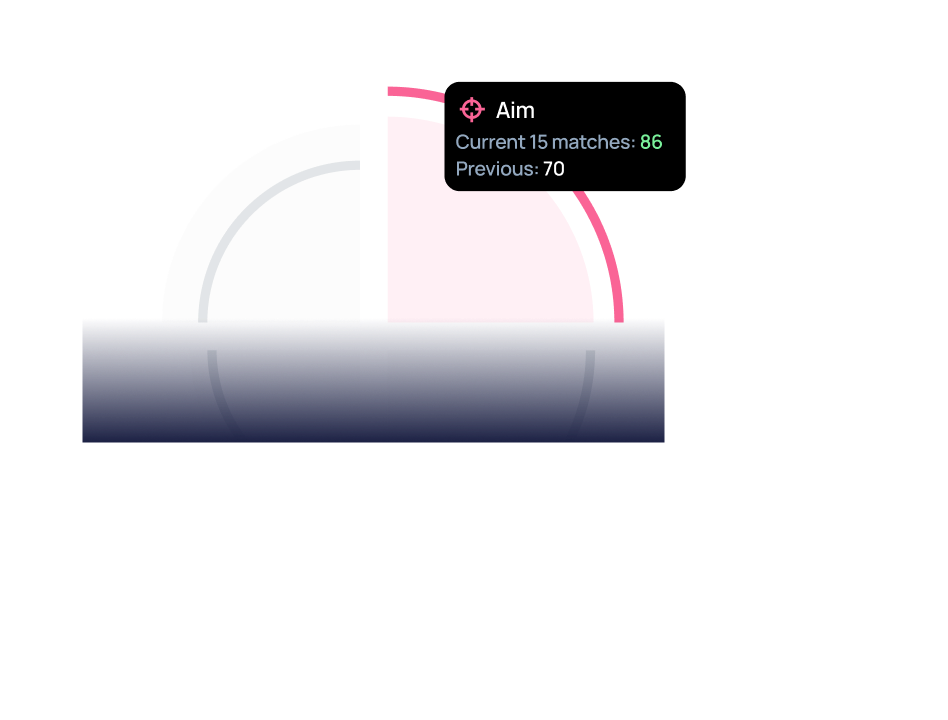
The Aim Rating is a composite assessment of shooting performance, comprising four metrics: Time to Kill (TTK), Accuracy, First Bullet Accuracy (FBA) and the headshot percentage. The headshot percentage on SCOPE.GG is the proportion of headshots amongst all hits on opponents.
The Aim Rating is useful as a general guide to your shooting ability, whilst its four components help you understand exactly what you need to improve.
A high Aim rating does not guarantee a high ranking or Elo score. Positioning, choosing your targets, grenades, communication and round-by-round decision-making can influence victory just as much as shooting.
Grenade damage indicates the damage dealt to opponents by grenades, primarily HE and Molotov/Incendiary grenades.
Zero damage does not always mean a grenade was useless: a Molotov can force an opponent back, whilst smoke can block a dangerous line of sight.
Enemy Blindness Duration shows how long your flashbangs kept enemies blinded.
More seconds isn’t always better: a flashbang is only useful if your team manages to capitalize on the blindness.
The number of smoke grenades per match shows how many smoke grenades were used. This refers specifically to usage, not to purchasing smoke grenades.
The number of smoke grenades indicates activity, but not their quality: one well-timed smoke grenade can be more useful than several poorly timed ones.
Yes. SCOPE.GG displays flashes that have blinded you and those that have blinded allies as separate events and potential errors. Blinding yourself does not affect the final grenade rating.
It’s best to review such incidents in the Replay: sometimes the flashbang really was a mistake, whilst at other times an ally turned away or changed the timing themselves.
The Grenade Rating takes into account the average duration of enemy blinding, HE damage, the number of enemies hit by grenades, and the number of smoke grenades per match.
It helps to assess not only the number of grenades used, but also their actual effectiveness.
An ‘open kill’ is the first kill of an opponent in a round.
This metric helps to evaluate initial engagements, but depends heavily on the role: an entry player naturally encounters more such situations than a passive player.
A trade (trade kill) is the killing of an opponent shortly after they have killed one of your teammates. SCOPE.GG determines a trade based on the sequence of events and a specific time window.
Not every subsequent team kill is counted as a trade. Therefore, it is best to analyse the number of trades in conjunction with specific rounds.
A clutch begins when a player is left alone against one or more opponents. Clutch success rate is the proportion of such situations won.
1v1 and 1v4 are situations of differing difficulty, and a single victory from a single attempt does not necessarily mean a consistent 100% win rate in clutch situations.
SCOPE.GG assesses a player’s contribution using several metrics: damage, kills, assists, trades, open kills, grenades and clutch plays. Performance and Replay help to understand which specific moments led to the result.
No single metric shows the exact ‘percentage contribution to victory’. Communication, team strategy and many decisions cannot be reduced to a single figure.
SCOPE.GG may flag the following situations: allies being completely blinded, dying whilst holding a grenade, blinding oneself completely, dying without benefiting the team, teamkill, dying due to a pointless reload, dying from one’s own flashbang, a Molotov in smoke, a Molotov that explodes in mid-air, failure to use a defusal kit in a suitable situation, death from a fall, and flashbang assists for allies.
A flag like this is a reason to review the moment, not a final verdict. Open the clip in Replay and check the context.
Comparison with other players and percentiles
SCOPE.GG compares statistics with players of a similar level: for Premier, the Premier Rating is used; for FACEIT, the FACEIT Elo. These ratings are not on the same scale.
The comparison provides context for the figures, but does not prove that the players are of an equal standard. The same ADR against different opponents can mean different things.
In the profile, the comparison is based on the current Premier Rating or FACEIT Elo. Therefore, an older match may be assessed in the context of your current rating.
If you have moved to a different ranking group, the relative assessment may change even without any change to the oldest match itself.
Groups are formed based on platform and rating range. Their purpose is to show how typical your performance is compared to players of a similar level.
Your own match filters and the comparison pool are not the same thing: the presence of a filter by map or weapon does not mean that the entire pool is divided in exactly the same way.
A percentile shows where a value stands in relation to other players in the selected group. The 50th percentile is roughly the midpoint of the distribution; the 95th percentile indicates a very high result compared to the majority.
| Level | The statistical meaning of the reference point | What is important to remember |
|---|---|---|
| 5th | Around 5 per cent of observations are no higher than this value | The lower end of the distribution, but not a universal measure of ‘bad’ |
| 33rd | Around 33 per cent of observations do not exceed this value | A value below the median of the original distribution |
| 50th | Median | This is not an arithmetic mean, nor is it a mandatory target for every player |
| 66th | Around 66 per cent of observations are no higher than this value | A value above the median |
| 95th | Around 95 per cent of observations do not exceed this value | Upper limit; rarity does not constitute evidence of a breach |
Percentiles help to quickly understand the context of a metric, but do not in themselves constitute evidence of a player’s level of performance or a breach of the rules.
For some metrics, the relationship is the opposite: for example, with TTK, a lower value is usually better. Therefore, a high percentile and ‘better’ are not always the same thing.
A high percentile indicates an unusually strong result for the selected group, but does not in itself prove cheating. It may be influenced by skill, role, a small data set or current rating.
If a metric seems suspicious, it is worth checking specific incidents, the number of matches and any available account information — rather than drawing conclusions based on a single percentile.
How to track your progress
In the ‘Progress’ section, the last 15 matches are compared with the previous 15. If fewer than 15 matches have been processed, SCOPE.GG indicates that there is insufficient data and suggests playing more matches. Therefore, a comprehensive comparison of progress only becomes available once a sufficient history has been accumulated.
Compare matches under identical conditions: platform, side and weapon. Otherwise, a change in the figures may be due to a change in conditions rather than actual progress.
The ‘15 vs 15’ format highlights recent changes that might otherwise be lost in the overall average. For example, after practising your first shot, you can analyse the hit rate of your first bullet and open a few duels from both groups.
30 matches is a convenient format for comparison, but not a guarantee of an accurate conclusion for any metric.
There is no universal figure. For frequent events such as shots, data accumulates more quickly; for rare ones — such as clutch plays — more slowly.
A single match can be used to assess a specific play. To determine whether a skill is consistent, look at several consecutive matches and recurring situations.
It’s best to look not only at the relative score, but also at the metrics themselves. If FBA or ADR are increasing across comparable matches, this is a clearer sign of progress.
If SCOPE.GG changes its calculation formula, older matches are not automatically recalculated. Therefore, you should be cautious when comparing periods before and after a major change.
You can calculate accuracy, HS%, ADR, K/D and other metrics from a single match, but you cannot take them as an indication of a player’s consistent level. You should be particularly cautious when interpreting rare events such as clutch plays.
Always look at the number of attempts: 100 per cent from a single situation and 100 per cent from twenty attempts are completely different results.
SCOPE.GG displays the change in FACEIT Elo per match and the average lobby Elo. The Premier ranking is shown separately in the context of Premier matches.
Rankings and personal statistics can fluctuate differently over short periods. Therefore, changes in Elo do not replace an analysis of a specific match.
Accuracy, interpretation and limitations
A fact is an event from a demo: a shot, damage, a kill, a blind, or a position. Metrics are calculated from such events. Interpretation is a conclusion about what this might mean for the game.
For example, an ally being blinded is a fact. The number of such instances is a statistic. The conclusion that there is ‘poor coordination’ already requires an examination of the context.
| Observed directly | We calculate | We interpret | Cannot determine |
|---|---|---|---|
| Shots and hits | Accuracy, accuracy of the first bullet, percentage of headshots out of the total number of hits | Which aspects of shooting are worth checking | The exact aim and the reason for each miss |
| Damage, kills and deaths | ADR, K/D, KPR | Effectiveness of engagements | The overall tactical value of all actions |
| Sequence of events | First kills, trades, clutch plays | Quality of initial engagements and coordination | All agreements and commands from allies |
| Grenades and flashbangs | Damage dealt by grenades, duration of the flashbang, number of uses | Potential benefits or mistakes in usage | The original intention behind the throw |
| Positions and timing | Spatial and temporal statistics | Recurring positioning issues | All the information known to the player at that moment |
| Rounds and their results | Win percentage and performance metrics over the selected distance | Consistency of results and potential progress | The single reason for a win or loss |
SCOPE.GG only sees what is contained in the available match data. The service does not have full access to what was happening on the player’s computer.
In a replay, you can see the actions, but it is not possible to accurately reconstruct the player’s intent, the entire team plan or all the information they had at the time of the decision.
In some FACEIT clips, team voice chat may be available if it is present in the raw data. However, even this does not guarantee a complete picture of the communication.
The same metric name does not guarantee the same calculation. Services may use different sources, match sets, HS% variants, trade rules and averaging methods.
Therefore, first ensure that you are comparing the same metric. For example, headshot percentage and headshot kill percentage are calculated differently from the outset.
An incomplete demo means that some events are missing. A small sample size means that too few events have been recorded to draw a confident conclusion. These are two different issues.
For example, winning 0 clutch situations out of 10 attempts is not the same as having no clutch attempts at all.
2D and 3D Replays reconstruct the match based on demo data. They help you see the flow of the round, but are not an exact recording of what the player saw on their screen.
A clip shows a short excerpt. If a decision seems strange, open the whole round in Replay and see what happened before it.
You can contact Support and include a link to your profile and the match, the name of the metric, a description of the discrepancy, the round number and a screenshot. If you’re comparing it to another service, please specify its value.
Data storage and methodology updates
SCOPE.GG uses account data, information from connected platforms, data from processed matches, calculated statistics, settings and clips you have created. Raw demo files are not stored after processing.
Detailed rules on the processing of personal data are set out on the Privacy Policy page.
Statistics and the history of processed matches are retained. SCOPE.GG does not store the original demo files. Standard clips are stored for 180 days, whilst those added to favourites are not deleted after this period.
Once your subscription ends, previously processed matches, statistics and content you have already created remain available.
In Privacy Settings, you can hide your profile: it will no longer appear in search results and will no longer publicly display Steam-related data, statistics, your nickname or your avatar.
To delete your account or data, you’ll need to contact Support. Hiding your profile and deleting your data are different actions.
Pages, parsers and formulas may be updated separately. This is important for players because a website update does not automatically mean that old matches will be recalculated.
Major product changes to SCOPE.GG are published on the project’s blog or social media channels.
No. Past matches are not automatically recalculated following changes to the formulas or the parser.
After a change to the formula or parser, new matches may be calculated using the updated logic, whilst older ones retain their previous values.
If you have a question about a calculation or a specific match, please contact Support and include a link to the match and the name of the metric.
The page date indicates when the description text was last updated. It does not mean that all matches were recalculated or all internal algorithms were updated on that date.
Account, pricing, payment and support
You do not need to register to view available public profiles. To automatically analyse your own matches, log in to SCOPE.GG and link your history from the platform you play on. You only need to link both if you use both platforms.
Usually, a new match appears once the game has finished and the available demo has been processed. Statistics and replays are usually ready in about 1–2 minutes, and clips in 2–3 minutes. If there is a queue, the process may take longer.
Yes, provided the recording has been saved and is supported. Manual .dem uploads are available on certain subscription plans; see the Subscriptions page for the latest terms and conditions.
Premier, Competitive, Wingman and FACEIT 5v5 are supported. For detailed statistics, you’ll need an available and correctly processed match demo.
Yes. You can analyse Steam matches for free, with no limit on the number of matches. For FACEIT, there is a free limit of up to 10 matches per month. You can find the current terms and conditions on the subscription page.
The free version includes the core analysis features. Force Buy adds unlimited FACEIT matches, highlight clips in 1080p at 60fps and ad-free viewing. Full Buy includes everything from Force Buy, plus clips from your opponent’s POV, montages/custom clips, pre-match analytics and clips of your friends’ mistakes.
| Option | Free | Force Buy | Full Buy |
|---|---|---|---|
| Matches in supported Steam modes | Unlimited | Unlimited | Unlimited |
| FACEIT match downloads | Up to 10 per month | Unlimited | Unlimited |
| Highlights | Limited access | Yes | Yes |
| Clip quality: 1080p at 60fps | No | Yes | Yes |
| No adverts on the website | No | Yes | Yes |
| Clips from the opponent’s POV | No | No | Yes |
| Compilation clips | No | No | Yes |
| Pre-match analysis | No | No | Yes |
| Clips of friends’ mistakes | No | No | Yes |
Plan details are subject to change, so please check the current features and price on the Subscriptions page before purchasing.
Prematch analytics is available with the Full Buy subscription and helps you analyse your opponents’ previous FACEIT matches before a game: identify their play patterns, frequently occupied positions and typical timing of pushes on the map.
Current prices, currencies, payment periods, discounts and regional offers are displayed on the Subscription page and when you sign up for a subscription.
Once you’ve reached the free limit, FACEIT will stop loading new matches until the limit is refreshed or you take out a subscription. Matches that have already been processed remain available.
Once your subscription ends, previously downloaded matches, statistics and content you’ve already created will remain available. Restrictions apply to new paid features and content.
Check your subscription settings for the auto-renewal status, the date and the amount of the next payment. If the status is unclear, contact Support before the next payment is due.
You can cancel your subscription in your settings. After cancelling, check the expiry date of your access. Refunds for payments that have already been debited are dealt with separately by Support.
When switching to a different plan, first check the offer in your account. If the additional payment amount or the credit for the remaining period is unclear, please contact Support before making your second purchase.
Refunds are processed in accordance with the current Terms of Use and Terms of Purchase. To request a refund, please send your payment details and a description of the situation to Customer Support.
If you are charged twice or cannot access the service after payment, please contact Support. Please provide your profile details, the date, amount, currency and transaction ID, and attach proof of payment. Do not send your full card number, CVV, password or verification codes.
You can manage your subscription in your account settings. If the transaction you’re looking for isn’t shown in the interface, please contact Support and attach the payment ID.
Connecting Steam and FACEIT is done via authorisation on the respective platform. Do not share your password, Steam Guard or two-factor authentication codes with Support. For more details on data processing, please see our Privacy Policy.
To delete your account or data, please contact Support. If you just want to hide your public profile, use Privacy Settings — your profile will no longer appear in search results or display associated statistics.
Please contact Support. Include a link to the profile and match, the name of the metric and a description of the issue. For a specific incident, please specify the round and time.
Official support: [email protected], Discord — discord.gg/scopegg and Telegram — t.me/scope_gg. On weekdays, the team responds within one working day, Monday–Friday, 10:00–18:00 Moscow time. Enquiries received at the weekend are processed from Monday.

 Log in with Steam
 Log in with FaceIt